
Quotes to cashSell the job. Produce the job.
Sell the job. Produce the job.
Same system.
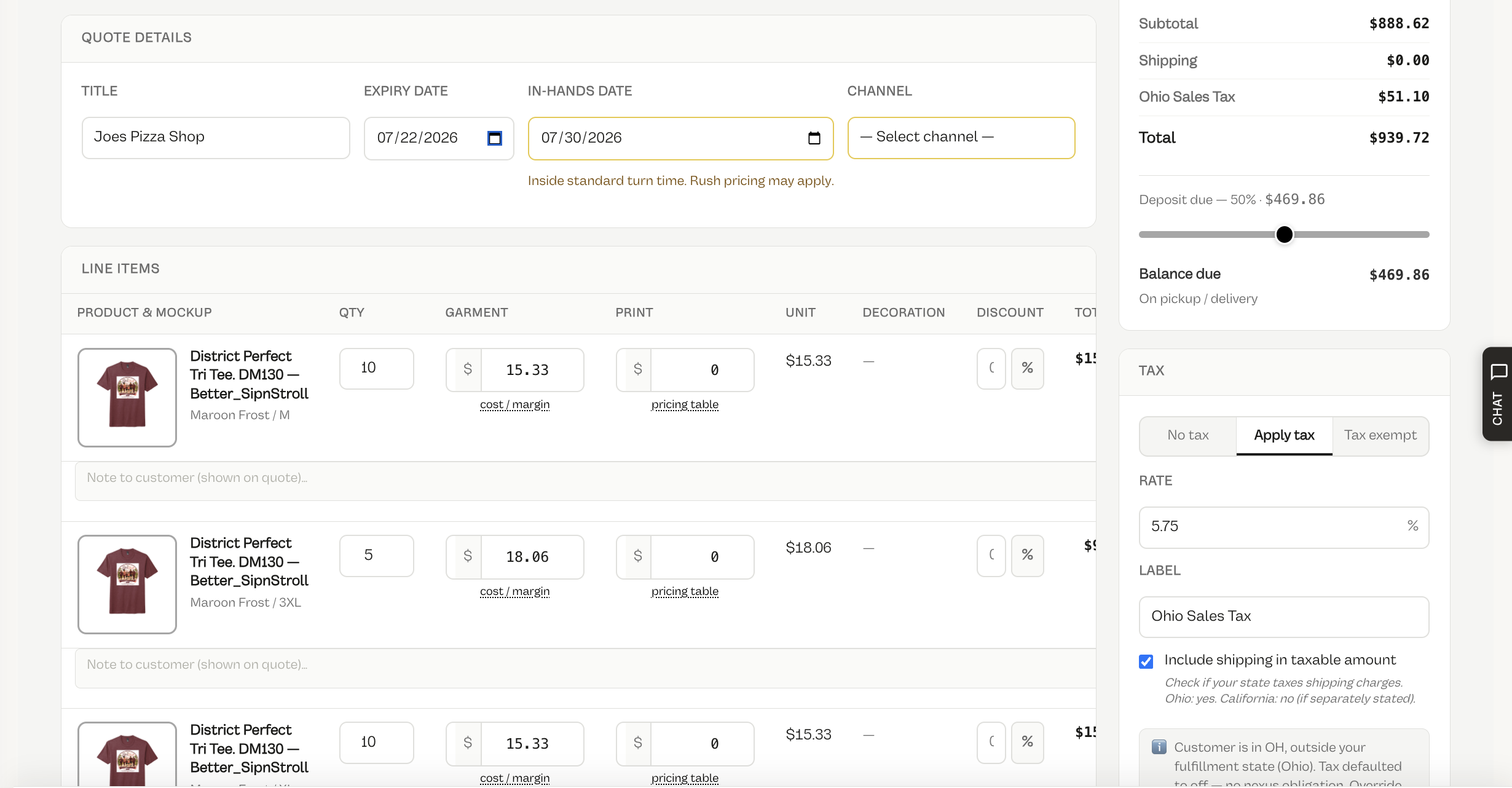
Build the quote, get approval, take the deposit, and push straight to production — nothing re-keyed.
IncludesAuto pricingCustomer approval pageDeposits & termsChange ordersQT-0001 numberingConvert to order
How it works
Price it, approve it, deposit it, produce it.
1
Build the quote
Add catalog products, decoration methods, and mockups with auto pricing.
2
Send for approval
Customer approves, requests changes, or revises on a public page.
3
Collect a deposit
Take payment via Stripe, or set offline terms like Net 30.
4
Convert to production
Approved quotes become sales orders that hit the floor automatically.
What you get
Quote-to-cash without re-keying a single line.
Build and price
- Quote builder with catalog products, decoration methods, mockups, and auto pricing
- Quantity breaks, placements, screen fees, digitizing, and less-than-minimum rules
- Sequential quote numbers (QT-0001) your team can actually track
- Storefront quote requests landing in the same queue
Approve and collect
- Public customer approval page (approve, request changes, revise)
- Deposits and balances via Stripe or offline / terms (Net 15/30/60, on pickup)
- Approved quotes → sales orders → production, automatically
- Change orders that carry paid amounts forward
FAQ
Questions, answered.
Can customers approve quotes online?
Yes — every quote gets a public approval page where the customer can approve, request changes, or revise.
Does it take deposits?
Collect deposits and balances through Stripe, or set offline terms like Net 15/30/60 or payment on pickup.
What happens after a quote is approved?
Approved quotes convert to sales orders and flow into production automatically — nothing is re-keyed.
Can I revise a quote after payment?
Change orders let you revise while carrying any paid amounts forward.