task
See seller stock, space, and sync
Last updated October 23, 2026
After seller sent or seller pre printed stock is counted in, this is where you look, and this is how it decides what happens to a seller's orders.
Where
Inventory → Stock → Seller. Every seller variant with its numbers, mode, and status.
3PL → Retail stock. Finished goods held here, by owner, with the bin each sits in. Use it for opening counts and CSV import.
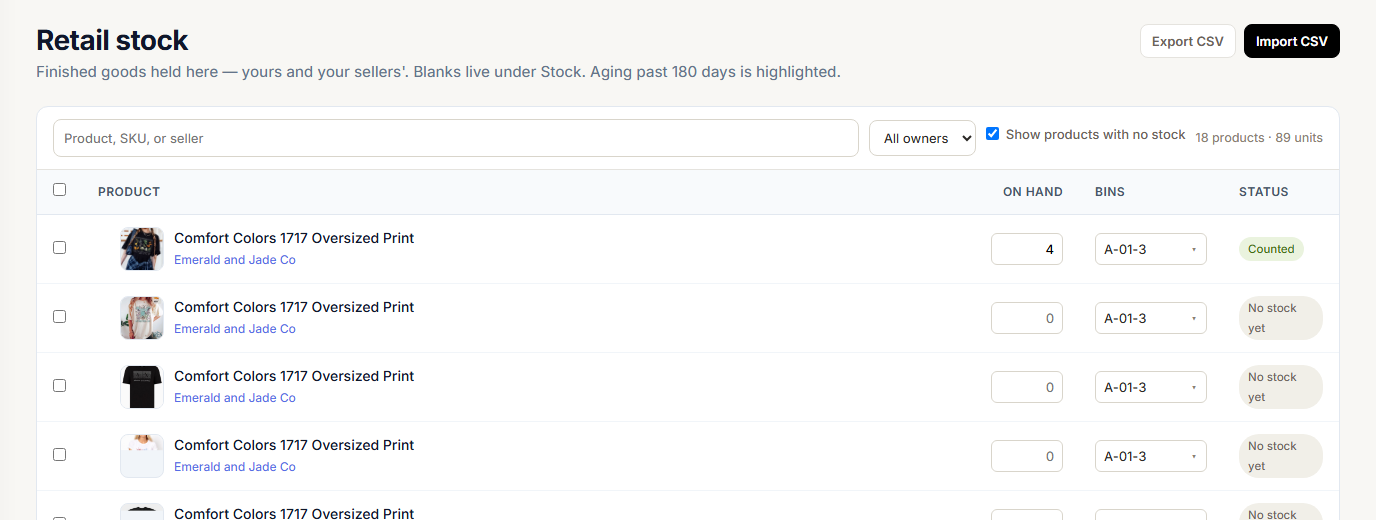
Your own finished goods and pre printed retail are easiest to see on Inventory → Stock → House retail.
3PL → Sellers. Waiting on you (seller requests and space requests) and Seller space at the top, then one workspace per seller: stored products, stock, inbound shipments, and open variances.

The three numbers
| Column | What it means |
|---|---|
| On hand | Units you are holding for the seller |
| Reserved | Units held for the seller's open orders that have not been batched yet |
| Available | On hand minus Reserved, never below zero. This is what can still be sold |
Seller stock never touches your blank counts.

What the seller sees
Sellers see the same stock on Inventory → My stock in their portal:
| Seller column | Same as |
|---|---|
| On hand | On hand |
| On the way | Units on their shipments not counted yet |
| Held for orders | Reserved |
| Available | Available |
At the top is Your space, for example 28 of 40 bins, with what is on the way. Their shipments, with sent and counted for each line, are on Inventory → Shipments. See Send inventory to the warehouse.
How an order line moves the numbers
| When | On hand | Reserved |
|---|---|---|
| A seller order line routed to stock comes in | No change | Up by the line |
| The line is cancelled, ignored, deleted, or unmapped | No change | Back down |
| The line is batched | Down by what the batch takes | Back down |
| The line is unbatched | Back up by what the batch took | Up again |
| The line ships outside production | Down by the line | Back down |
If a batch needs more units than are on hand, it takes what is there and the pick list asks for the rest. On hand never goes below zero.
Ship from stock, print, or hold
Each seller variant has a Mode. Change it with the dropdown on the variant row on Inventory → Stock → Seller.
| Mode | Available covers the line | Available is short of the line |
|---|---|---|
| POD | Prints on demand. No count is kept | Prints on demand |
| Stocked | Ships from stock | The line is held until stock arrives. It still counts in Reserved |
| Hybrid | Ships from stock | Falls back to print on demand. The row shows Orders fulfilled via POD |
Riverr decides once, when the seller's order reaches you. A line ships from stock only when Available covers the whole line, and two lines in the same order cannot both count on the same units.
What the seller's sales channels see
Riverr sends Available, not On hand, to each connected shop. Units already held for other orders are not offered again.
The mode also sets how the shop behaves at zero:
- Stocked: the listing stops selling when Available reaches zero.
- Hybrid and POD: the listing keeps selling, because those orders can print.
Sync settings
3PL → Sync settings. How each connected shop stays aligned with finished inventory, yours or a seller's. Blank inventory does not sync to shops and is not managed here. Sellers find the same controls under Settings → Inventory → Stock sync in their portal.
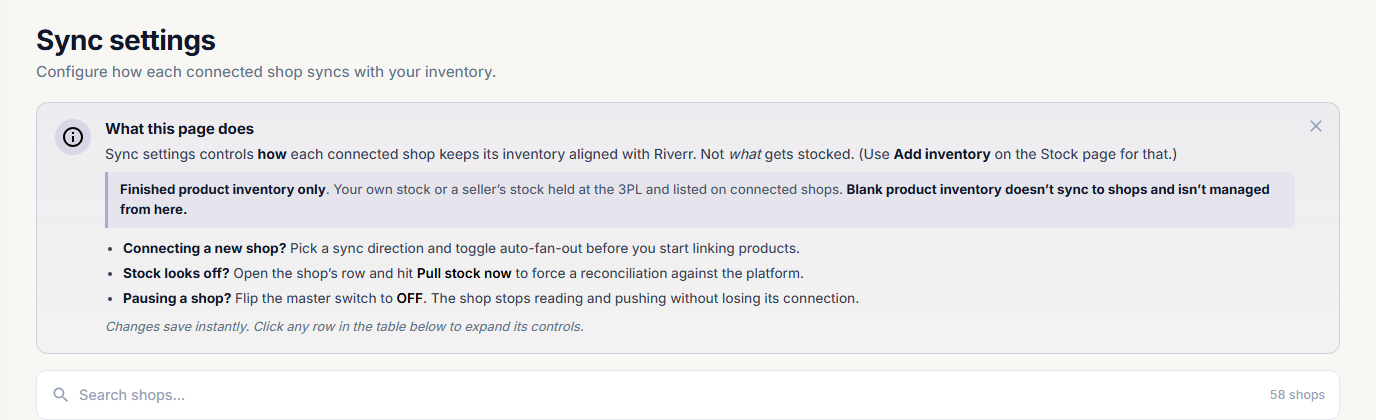
Click a shop's row to open its controls:
| Control | What it does |
|---|---|
| Sync enabled | The master switch. Off pauses the shop without disconnecting it |
| Direction | Pull only reads shop stock, Push only writes to the shop, Both does both |
| Auto sync between channels | Sends stock changes out to the shop on its own |
| Pull stock now | Reads the shop's stock right away to reconcile |
Riverr only writes Available to a shop when Sync enabled and Auto sync between channels are on and Direction is Push only or Both.
This page does not stock anything. To put units on the books, receive a shipment or use Add inventory.
Space
Each seller has a space in bins that you set on 3PL → Sellers with Change space. There is no limit per product. A shipment that would take them over their space cannot be sent, and a stock order for a seller shows Seller cap after this before you place it. Floor occupancy is separate: Capacity.