task
Put blanks on locations
Last updated October 23, 2026
Stock type: Blanks. Use this when blanks already have a quantity on Inventory → Stock → Blanks and you want the floor to know where they sit.
Saving locations here does one more thing: it turns on Track by bin for that blank. From then on the bins are the count. Read Track by bin before you start.
Where
Settings → Inventory → Warehouse → Set locations
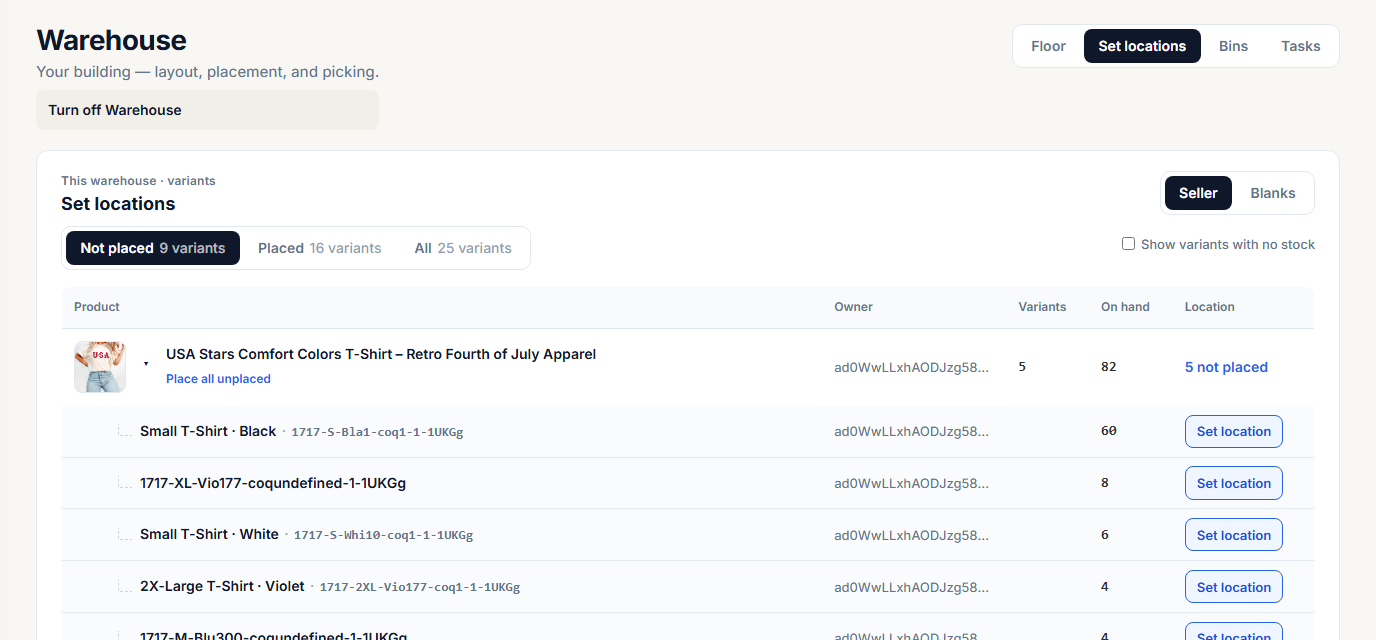
Switch the stock type at the top right to Blanks. Filters: Not placed, Placed, All. Tick Show variants with no stock to see empty rows too.
The screen opens on the warehouse for the location picked in the sidebar.
Before you start
- Build the floor first (Build the floor).
- Finish or remove open putaways, picks, and count lists for the blanks you are placing. An open task on a blank blocks the save.
- Have someone count the shelf. What you save is what the system will believe.
Set one blank
- Click Set location on a color and size row.
- Under Where is this stored?, pick a location and enter the quantity there.
- Use + Add another location if the units are split across bins.
- Check the total line: N of M placed. M is the current on hand.
- Click Track by bin. On a blank that is already tracked by bin, the button reads Save locations.
If the placed total does not match on hand, Riverr asks what happened: Found extra, Lost or missing, Damaged, or Previous count was wrong. Add a note if you like, then Save. On hand moves to the placed total and the change is logged with that reason.
Click a placed row later to move units or change quantities. Same screen, same rules.
Place a whole product at once
On a product with more than one unplaced variant, click Place all unplaced. Pick one location and click Place variants. Every unplaced variant with stock goes to that location at its current on hand.
Place every blank automatically
When blanks with stock are not tracked by bin yet, a banner offers Place N in bins. Each blank goes where it already sits, if a putaway recorded a location for it, or into an empty bin if it has no location yet, with its current on hand count. You do not pick the bins and the counts do not change.
Rows are skipped when there are not enough empty bins. The message tells you how many still need a bin.
Stop tracking a blank by bin
Open a placed blank and click Stop tracking by bin. Riverr asks Stop tracking this product by bin? On hand stays at the current total, and the bins keep no count. Confirm. You can edit on hand by hand again.
Not tracked by bin yet
A blank that was never saved here can still show a location. Putaway records where units were placed, and the putaway line says Locations only, stock is not tracked by bin. That location does not move on hand. Receiving and orders do.
What refuses and why
| What you see | Why | Fix |
|---|---|---|
| Cannot flip while open work orders reference this SKU | An open task lists this blank | Finish or remove the task on Inventory → Tasks |
| Cannot change locations while open work orders reference this SKU | Same, on a blank that is already placed | Same |
| Finish or cancel the open tasks for this item before you stop tracking it by bin | Same, when you click Stop tracking by bin | Same |
Location X already holds seller stock |
One owner per bin | Pick an empty bin or one with house stock |
Location X not found |
The code is not on this floor | Check the code or build the aisle |
Location X is retired |
That bin was retired | Pick another bin |
duplicate location X |
The same bin is listed twice | Merge the two rows |
| Pick a warehouse to edit stock | You run more than one location and the Stock page is on the totals view | Pick one warehouse, then edit |
| This blank is tracked by bin, so its count comes from its bins | A typed on hand is refused | Use Set locations or a count |
More error messages: Warehouse fix it.
Picklist with locations
On a batch, More → Picklist (blanks + locations) shows bin locations only when every in stock blank in the warehouse is tracked by bin.