concept
Track by bin: when bins become the count
Last updated October 23, 2026
An item's on hand can come from one of two places: the stock counter, or the bins on your floor. Track by bin decides which. It is set per item (for a blank, one color and size), and it is off until you turn it on. That is true for blanks, finished goods, and stock you hold for sellers.
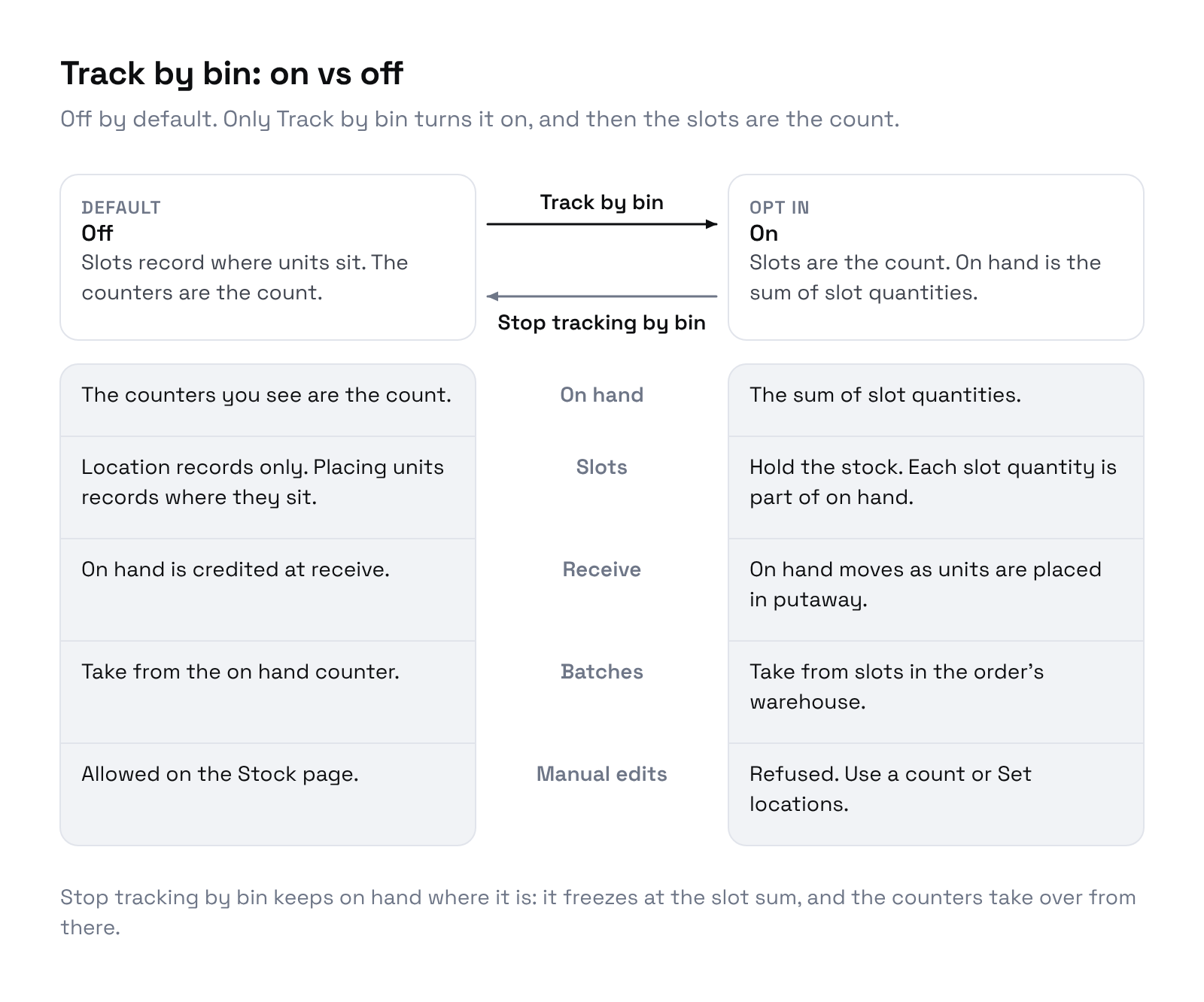
Off (the default)
The counter is the count. Receiving adds to on hand, batches take from it, and you can edit it by hand on Inventory → Stock.
Bins are location records only. A putaway still asks where the units went, and the line says Locations only, stock is not tracked by bin. Placing units there does not change on hand. A count on that bin corrects the bin record, not on hand.
Stock that is not tracked by bin is counted in when it arrives: at Confirm receive on a purchase order, when you confirm a seller shipment or a logged arrival, when you import it, and when you place a stock order in the warehouse.
On
The bins are the count. On hand is the sum of every bin holding that item.
| Off | On | |
|---|---|---|
| On hand comes from | The stock counter | The sum of the bins |
| Receiving | Adds to on hand right away | Opens a putaway; on hand rises as units are placed |
| A batch | Takes what is on hand, up to the line | Takes what the bins in the order's warehouse hold, up to the line |
| A register sale | Takes from the counter | Takes from the bins in the store's warehouse |
| Editing on hand by hand | Allowed | Refused |
| A count on a bin | Fixes the bin record only | Changes on hand |
| Set locations | Track by bin turns it on | Moves or corrects units, with a reason if the total changes |
Either way, a batch takes what is there. If the bins hold 30 of a line of 50, the batch takes the 30 and the other 20 print from new stock. Batch item details shows 30 from stock, 20 printing from new stock.
What you can no longer do by hand
Once an item is tracked by bin, typing a new on hand on the Stock page or in Adjust stock is refused: This blank is tracked by bin, so its count comes from its bins. Change it with Set locations, a putaway, or a count.
To change the number, change the bins:
- Set locations: move units, or correct a quantity with a reason. Put blanks on locations
- Count list: count the bin. Count a location
- Putaway: place received units. Warehouse tasks
Turn it on
Open Settings → Inventory → Warehouse → Set locations, pick Blanks or Seller at the top, and open the item. Enter where its units sit, then click Track by bin. For many blanks at once, use Place all unplaced on a product, or the banner that places every blank in bins.
Receiving and putaway never turn it on for you.
Turn it off
Open the item on Set locations and click Stop tracking by bin. Riverr asks: Stop tracking this product by bin? On hand stays at the current total, and the bins keep no count. On hand freezes at the bin total at that moment, and the counter takes over again.
Both directions need a quiet item
Turning it on, changing locations, and turning it off are all refused while an open task (putaway, pick, or count list) lists that item. Finish or remove the task first. Turning it off says Finish or cancel the open tasks for this item before you stop tracking it by bin.
When to turn it on
Turn it on when your team puts away every receipt and you want batches to pull from a known bin. Leave it off if receipts go straight to a shelf without anyone confirming a putaway. With it on, units that are received but never put away do not show in on hand.