task
Connecting Etsy (ShipStation Required)
Last updated July 20, 2026
Because of Etsy’s API restrictions, connecting Etsy requires a ShipStation connection before your store becomes fully activated for order syncing.
This guide walks you through:
- Connecting Etsy
- Understanding the ShipStation requirement
- Completing activation
- Confirming everything is working properly
---
Before You Start
You will need:
- An active Etsy shop
- A ShipStation account with API access
- ShipStation connected to your Etsy shop
If ShipStation is not already connected to Etsy inside ShipStation, complete that setup first.
---
Step 1: Add Etsy as a Store
- Go to My Stores
- Click + Add New Store
- Select Etsy
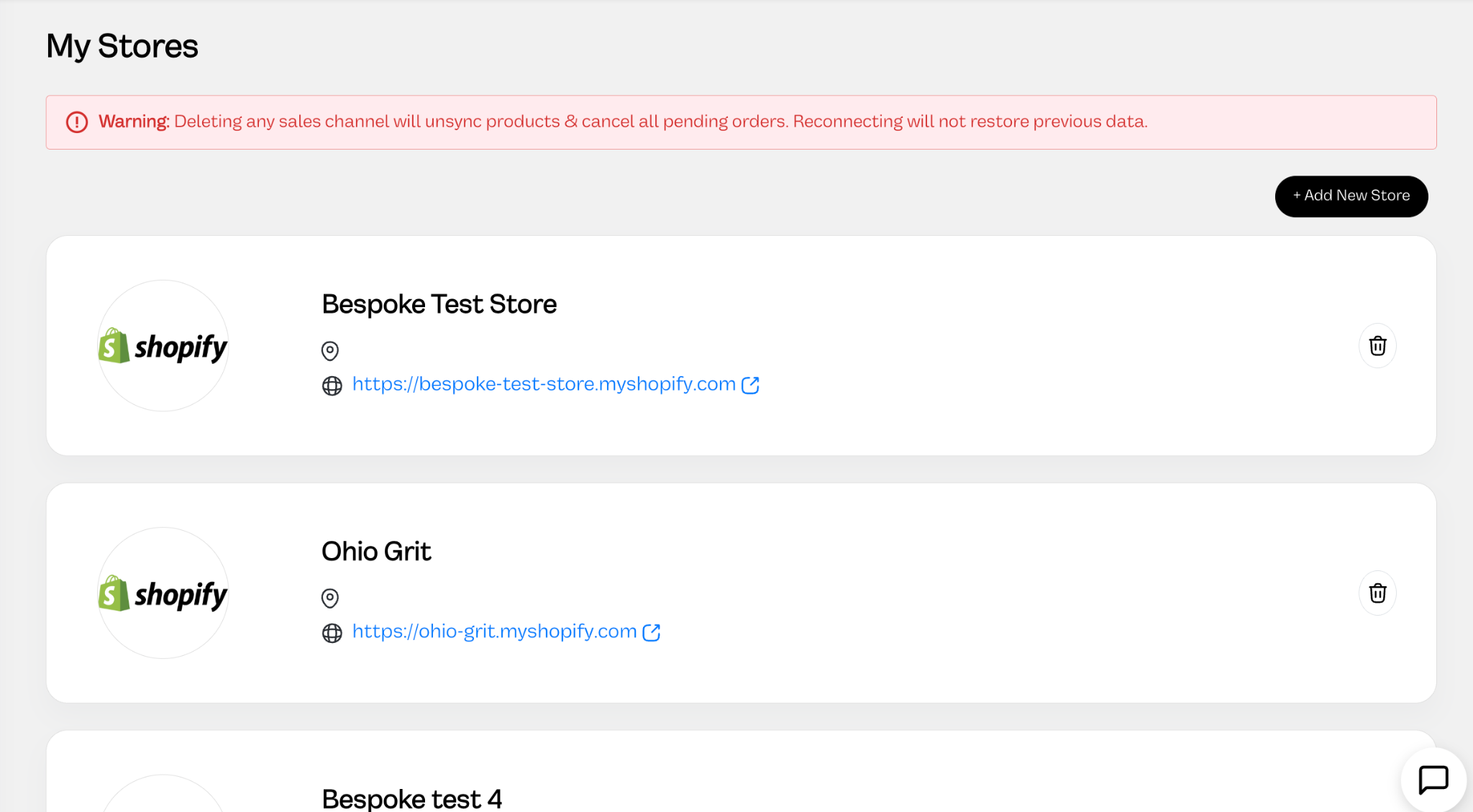
- Click Connect to Etsy
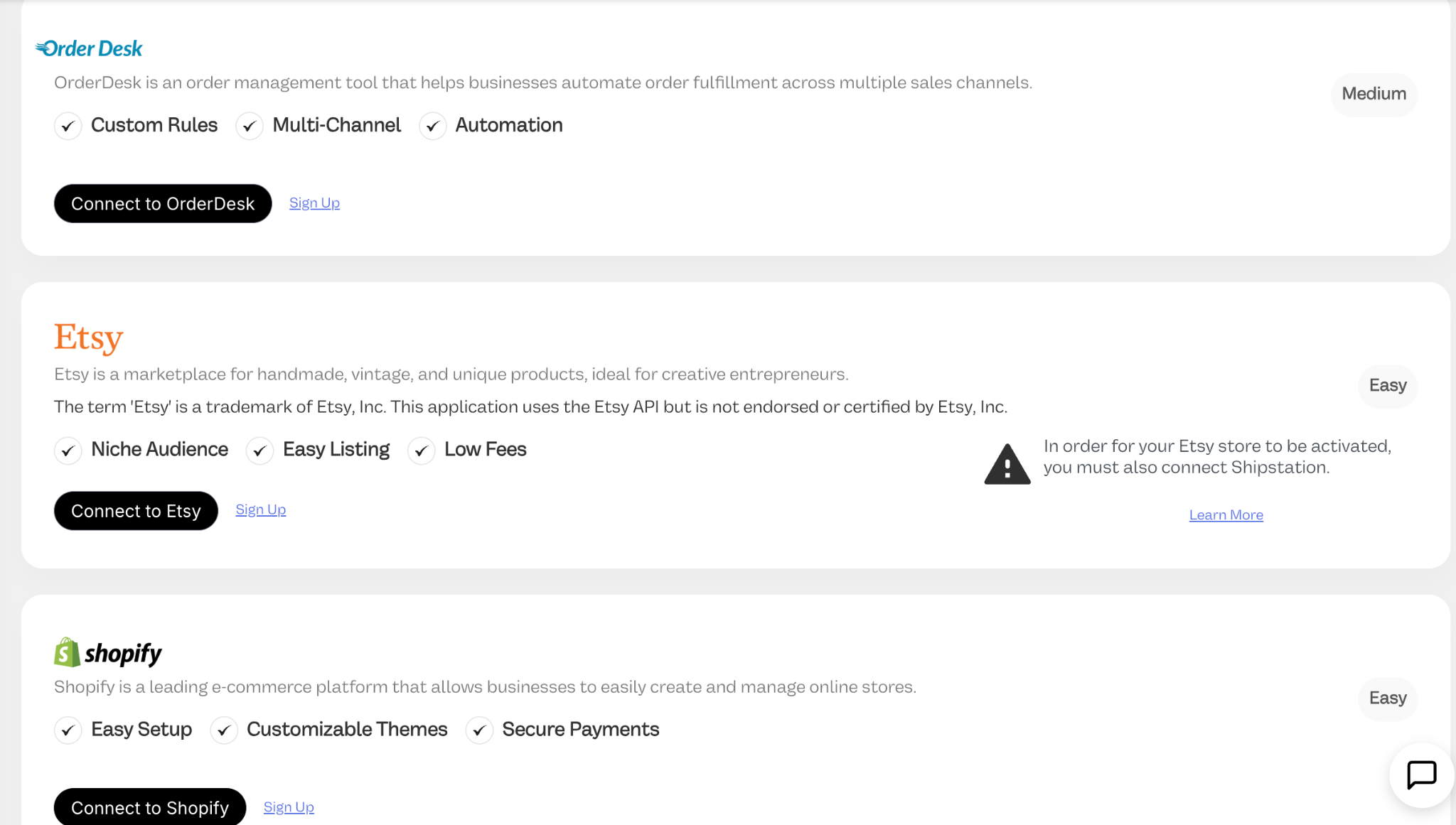
You’ll be redirected to Etsy to authorize access.
On the Etsy permissions screen, click Grant Access.
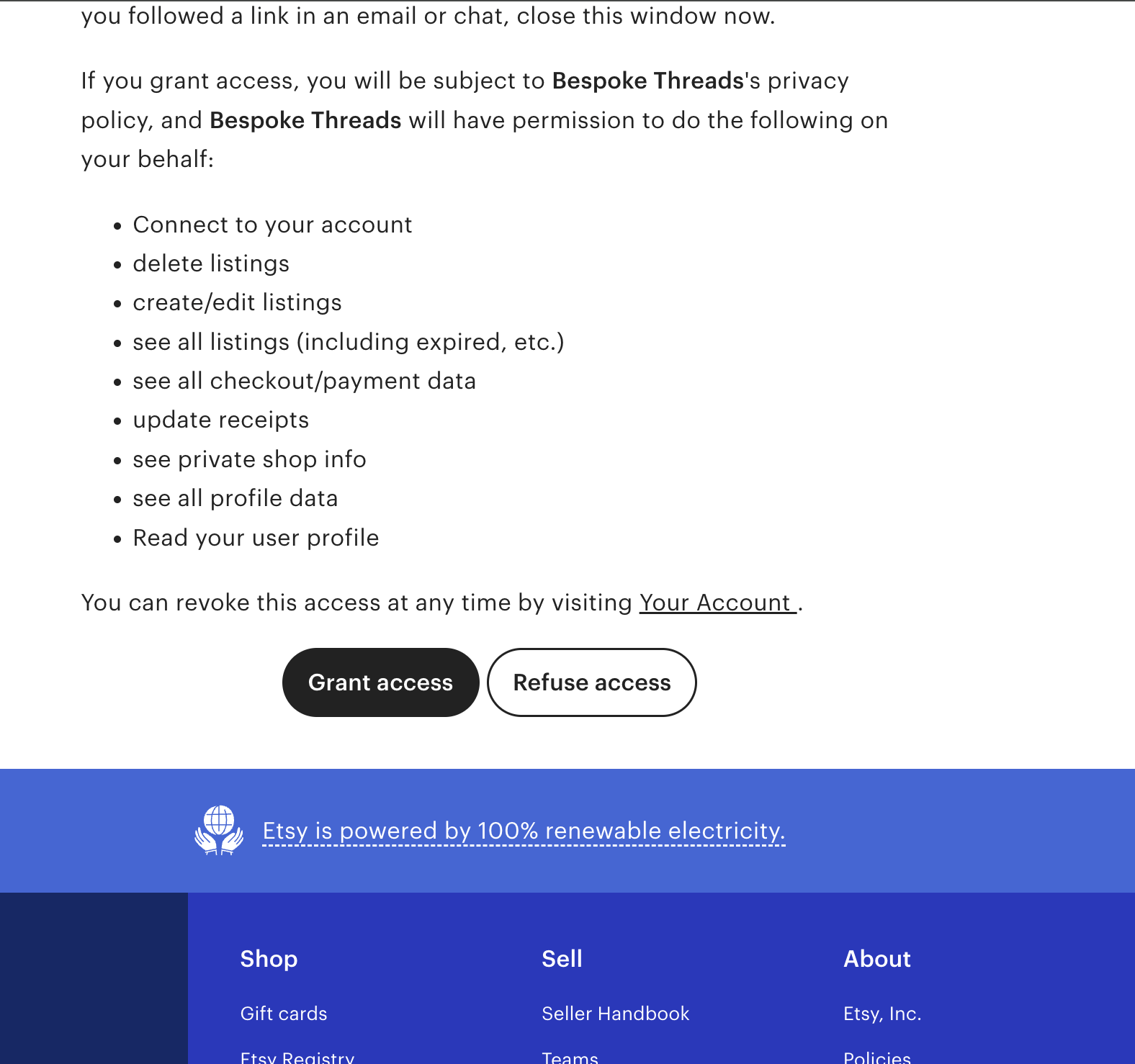
Once approved, your Etsy shop will appear under My Stores.
---
Activation Warning (Expected)
After connecting Etsy, you may see a warning message like:
“In order for your Etsy store to be activated, you must also connect ShipStation.”
This is normal.
At this stage:
- Listings can sync
- Products can be mapped
- Products can be published
But order syncing is not yet active.
To activate order flow, ShipStation must be connected.
---
Step 2: Connect ShipStation
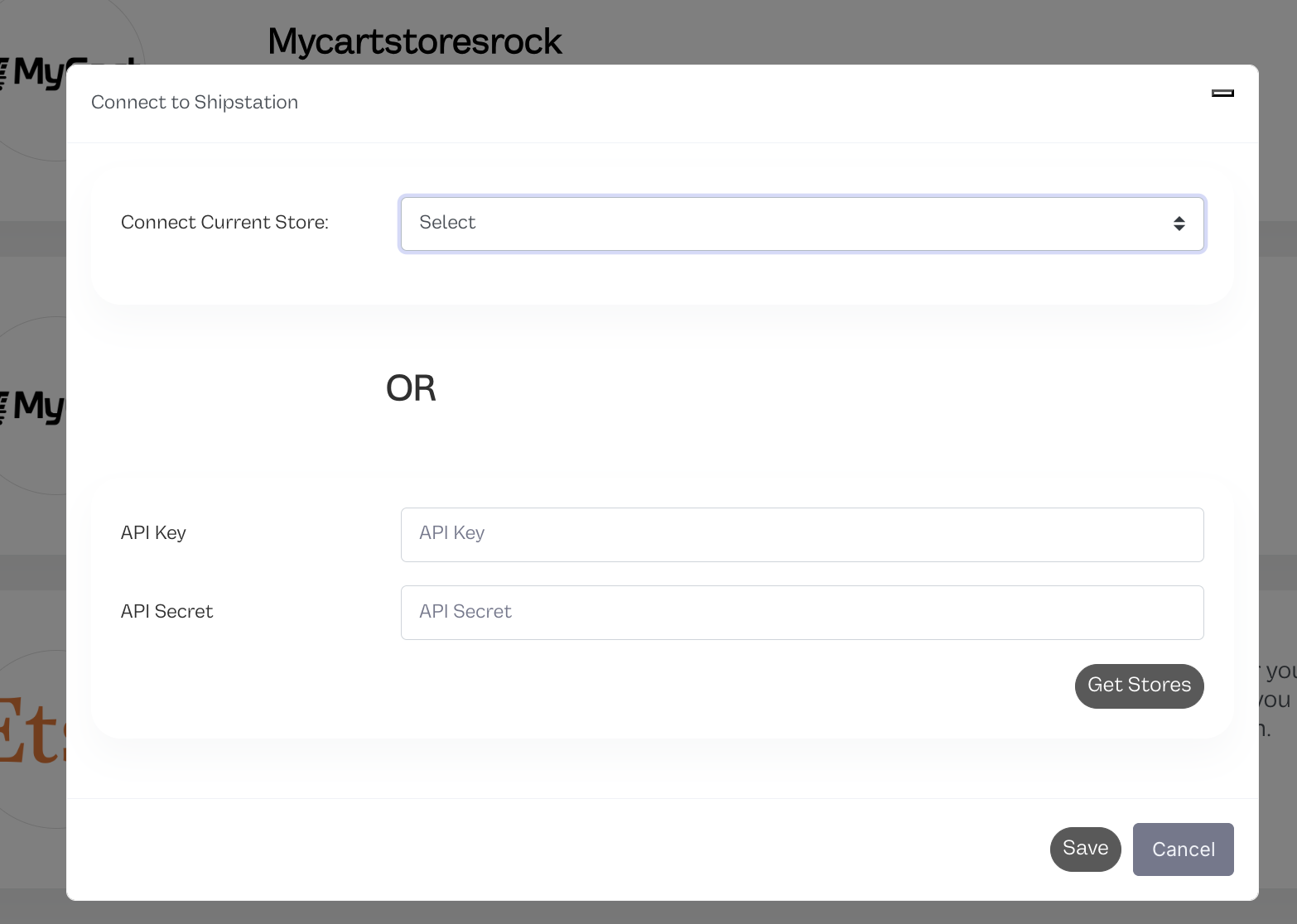
On the Etsy store card, click Connect ShipStation.
You’ll see a connection modal with two options:
---
Option A: Select an Existing ShipStation Store
If ShipStation is already connected in your account:
- Use the dropdown under Connect Current Store
- Select your ShipStation store
- Click Save
---
Option B: Connect Using API Key & Secret
If ShipStation is not yet connected:
- Enter your ShipStation API Key
- Enter your ShipStation API Secret
- Click Get Stores
- Select the correct ShipStation store
- Click Save
After saving, your Etsy store becomes activated and the warning will disappear.
---
Why ShipStation Is Required
Etsy does not allow third-party platforms to directly receive:
- Full customer shipping addresses
- Complete order data
- Direct tracking submission access
Etsy only provides full order access to approved shipping partners like:
- ShipStation
- Shippo
Because of this:
- Orders are ingested through ShipStation
- Tracking is submitted back to Etsy through ShipStation
However, your account still connects directly to Etsy for listing management and product syncing.
Both connections are required for a complete workflow.
---
How the Order Flow Works
Customer places order on Etsy
↓
Order appears in ShipStation
↓
Your account pulls the order from ShipStation
↓
You process and fulfill the order
↓
Tracking is sent to ShipStation
↓
ShipStation updates Etsy
Orders are not duplicated.
Orders are only pulled from ShipStation.
---
What Syncs From Each Platform
From Etsy
- Full listings
- Product structure
- Variants
- Product publishing
From ShipStation
- Orders
- Customer shipping addresses
- Order status
From Your Account → ShipStation → Etsy
- Tracking numbers
- Fulfillment confirmations
---
Verifying the Setup
After both connections are complete:
- Confirm your Etsy shop appears under My Stores
- Confirm ShipStation is linked to it
- Place a test order on Etsy
- Confirm it appears in your Orders page
- Fulfill the order
- Confirm tracking updates in Etsy
If tracking does not appear:
- Confirm ShipStation API access is active
- Confirm the correct ShipStation store is selected
- Confirm tracking was generated during fulfillment
---
Important Notes
- Deleting a sales channel will unsync products and cancel pending orders.
- Reconnecting will not restore previously synced data.
- Orders are only pulled from ShipStation.
- Listings sync directly from Etsy.
---
FAQ
Do I have to connect ShipStation?
Yes. Etsy cannot activate without it.
---
Can I use Shippo instead?
Not at this time. ShipStation is required for activation.
---
Why connect directly to Etsy if ShipStation handles orders?
ShipStation does not provide:
- Full listing sync
- Product publishing capabilities
- Complete product structure
Direct Etsy connection enables full product management.
---
Will I receive duplicate orders?
No.
Orders are only ingested from ShipStation.
---
What happens if I disconnect Etsy?
Products will unsync and pending orders may be canceled.
Reconnecting will not restore previous sync history.